Calendar and Image displayer
This idea was yet another request from my family. The original idea was to display peoples calendars within the Livingroom on our tv during the day. So others could see when you had to go to a meeting or whether you were home for dinner that evening.
Technical information
The product will be a local network, web page. It will be run by a server within a docker container. The application itself will be tasked with displaying 2 things: Calendar and Images.
CalendarThe application should display a calendar, like the one in Google Calendar. The calendar should show events from multiple users, and display their: Title, start time, duration, name of event-owner and description. This can be made simple if the users share their Calendars with a single central Google account.
ImagesThe application should display images from a server, at set intervals. The images are located in a tree-like file structure on the server. The images should be retrievable through API calls and picked by random.
Development Phase
Google Calendar display
Google APII hadn't worked with the Google API before, and to get started i tried looking up the documentation via Google's own sites. The sites where hard to navigate, and only gave a small amount of useful information for beginners, until i finally found a guide on their site. Although the guide was for JS, and there where no alternative guides for .Net, I just stuck with the JS guide, since many of the steps would be the same.
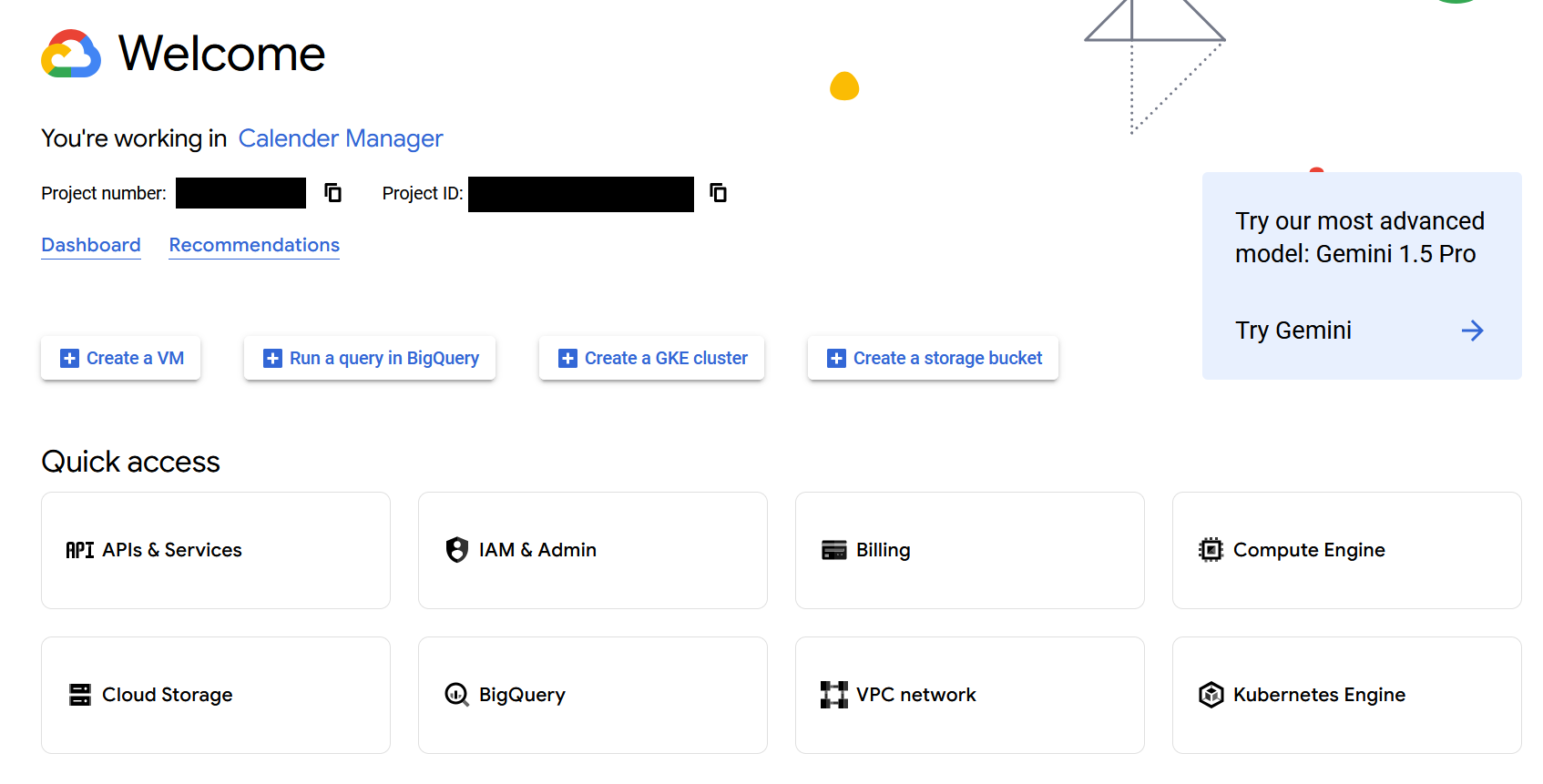
The first steps had to do with setting up the actual API, via a Google Cloud project. A Google Cloud project, is a small cloud structure where you can manage Billing, Cloud storage and API's, amongst other things.
In our case, i could create a Google Cloud project, and add any valid Google account to the project. And then call an API to retrieve some of the accounts data. In this case we are interested in their calendar.
OAuth 2.0
For the API to work, you first need to have a valid authentication token from Google, for the Google-account in question. The token only last a certain time, and might need to be requested every 1 or 2 weeks. This mainly became a problem for me while debugging, because i kept rebuilding the application and token.
If the token is out of date or invalid, a new one can be requested with the use of OAuth 2.0 Client Secrets. These Secrets are made inside the Google Cloud project and contain a client id. The Client secrets can then be downloaded for use in applications such as mine.
OAuth 2.0 provides several flows to accommodate different authentication scenarios. These flows allow applications to obtain authorization in ways tailored to their specific needs.
In some cases, such as working with servers or unique devices, standard authentication methods may not be feasible. For example, in my case:
- My web server requires new tokens to access Google services.
- Google’s OAuth process typically involves user interaction via a browser.
- However, the web server itself cannot open a browser.
- Authentication must occur through the user interface on the device they use to connect to the web server.
To handle this, we need an OAuth flow that enables the user to authenticate the server using their browser. For this purpose, I implemented Google’s "TVs and Limited Input Devices" flow, which is designed for devices with restricted input or display capabilities.
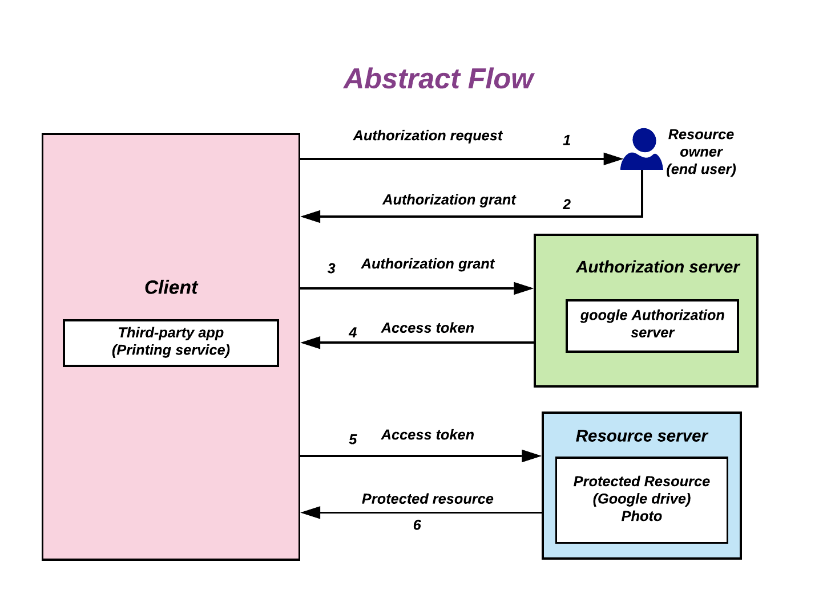
The Authentication process is described here.
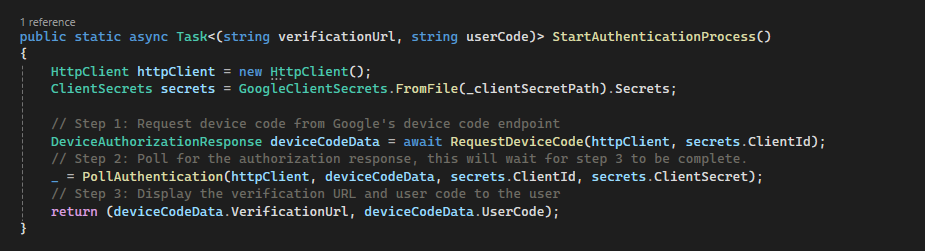 Step 1.
Use the Client Secrets to Request the user deviceCode. Google responds with a device_code, user_code, and verification_url. The user_code is a temporary key that needs to be used at the verification_url.
Step 2.The server runs a separate thread, and launches a Poll Authentication. This function keeps asking Google if the user is authenticated, which will happen in step 3.
Step 3.Server sends the user_code, and verification_url, to the web page, displaying them both to the current user. The user is tasked with copying the user_code and going to the verification_url. Here a field for the user_code appears. After entering the user_code, the user is asked by Google, "Do you trust this application?" and allows them to pick their Google account. After picking the Google account and accepting the security concerns, Google will trigger the Poll authenticated to go through, giving the server the The valid tokens.
Setting up API
After we have successfully are in possession of valid token, we can start actually using the Google Calendar API.
...
Image display
Create the image display...
Image display
Create the image display...
GitHub Repository